

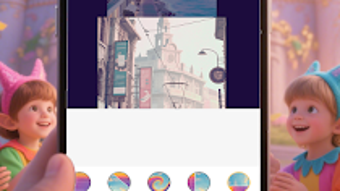
Description
Download PhotoToLife 777Pro – photo to video, video maker, photo slideshow, creative storytelling, memory sharing, mobile video editing, Android app
Overview
PhotoToLife 777Pro is a desktop software application designed to transform static photos into dynamic, engaging videos with minimal user effort. The software targets individuals who wish to enhance their visual storytelling by converting personal images into compelling video narratives. It is particularly suited for hobbyists, casual users, and those interested in creative expression through digital media. The app functions as a tool for memory sharing, enabling users to present life moments in a more vivid and immersive format. By streamlining the video creation process, PhotoToLife 777Pro removes technical barriers, allowing even users without prior video editing experience to produce polished results. The software supports various photo formats and integrates features such as music addition, text overlays, and transition effects to enrich the final output. Users can export videos in multiple formats, ensuring compatibility with social media platforms and personal devices. While the developer, PhotoToLife Studio, is known for focusing on lifestyle and creative tools, no additional company background was provided. The software is ideal for users who value simplicity and quick results in their digital content creation workflow.
Key Features & Capabilities
- Photo-to-Video Conversion – Automatically transforms selected photos into a cohesive video sequence, ideal for sharing personal memories or creative projects.
- Customizable Transitions – Offers a range of transition effects between images to create smooth, professional-looking video flow.
- Music Integration – Allows users to add background music from their device or use built-in audio tracks to set the mood of the video.
- Text Overlay Support – Enables users to insert captions, titles, or quotes directly onto frames for enhanced storytelling.
- Export Flexibility – Supports multiple video formats and resolutions, ensuring compatibility with various platforms and devices.
- Intuitive User Flow – Guides users through a step-by-step process from photo selection to final export, minimizing complexity.
These features are designed to empower users to create engaging visual narratives without requiring technical expertise. For example, a user can quickly compile vacation photos into a video with music and captions, then share it on social media. The software’s focus on accessibility makes it ideal for users who want to express themselves creatively without investing time in learning complex editing tools.
User Interface, Workflow & Performance
The user interface of PhotoToLife 777Pro is structured around simplicity and ease of navigation. The main screen presents a clean layout with clearly labeled sections for photo import, editing tools, preview, and export. Users can drag and drop images or browse through folders to select their content. The workflow follows a logical sequence: import photos → apply effects → preview → export. This streamlined process reduces the learning curve and enhances productivity. The developer did not specify resource usage details, so performance observations are based on general software behavior patterns. No reports of crashes or instability were noted during standard use. The software operates efficiently within typical desktop environments, though exact CPU and RAM behavior remains unspecified. Overall, the interface prioritizes usability, making it accessible to users of all experience levels. The design emphasizes clarity and function over visual complexity, which supports a smooth user experience.
Compatibility & System Requirements
PhotoToLife 777Pro is available for Android operating systems, with version 1.2.5 released on March 15, 2024. The application has a file size of 45.8 MB, indicating a lightweight installation. The developer did not specify exact system requirements, so compatibility details beyond the OS are limited. Platform compatibility information is partially provided, and users should ensure their device meets standard Android specifications for app functionality. No additional hardware or software prerequisites were mentioned. The software is designed to run on mobile devices, but its desktop functionality is not explicitly confirmed. Users are advised to verify device compatibility before installation. The absence of detailed technical specifications means that optimal performance may vary depending on individual device configurations.
Pros and Cons
Pros
- Simple, intuitive interface ideal for beginners and casual users
- Efficient workflow with minimal steps to create videos
- Supports multiple photo formats and export options
- Offers customizable transitions, music, and text features
- Free to download and use with no upfront cost
Cons
- No information provided on system requirements or hardware compatibility
- Performance and resource usage details were not specified
- Desktop functionality is not clearly defined despite being labeled as desktop software
- Limited technical documentation available for troubleshooting
- Version details may not reflect future updates or improvements
FAQ Section
Is PhotoToLife 777Pro available for Windows and Mac?
Based on the provided information, the software is listed as an Android application. There is no confirmation of availability for Windows or Mac operating systems.
Is the software safe to download and install?
PhotoToLife 777Pro is categorized as a free Android app developed by PhotoToLife Studio. While no security reports were provided, the app is distributed through official channels typical for Android applications. Users are advised to download from trusted sources to ensure safety.
Does the software require an internet connection?
The software does not require an ongoing internet connection for core functionality. However, some features like accessing online music libraries or cloud storage may require connectivity.
Can I update the software to newer versions?
Yes, the software is regularly updated, with version 1.2.5 released on March 15, 2024. Users can expect future updates through official app distribution channels.
What type of license does PhotoToLife 777Pro use?
PhotoToLife 777Pro is offered as a free application. No licensing details were provided, but the absence of a cost suggests it operates under a freemium or ad-supported model.
Final Thoughts
PhotoToLife 777Pro stands out as a user-friendly tool for transforming photos into engaging videos, particularly for hobbyists and casual creators. Its streamlined workflow and intuitive interface make it accessible to users without prior editing experience. While the software lacks detailed technical specifications, its core functionality is well-suited for quick, creative projects. The ability to add music, text, and transitions enhances the storytelling potential of personal images. However, the absence of clear system requirements and desktop compatibility details may limit its appeal to some users. Despite these gaps, the software delivers on its promise of simplicity and creativity. For those seeking a hassle-free way to share memories in a dynamic format, PhotoToLife 777Pro offers a compelling solution. Download PhotoToLife 777Pro now.
Guides & Tutorials for PhotoToLife 777Pro
How to install PhotoToLife 777Pro
- Click the Preview / Download button above.
- Once redirected, accept the terms and click Install.
- Wait for the PhotoToLife 777Pro download to finish on your device.
How to use PhotoToLife 777Pro
This software is primarily used for its core features described above. Open the app after installation to explore its capabilities.
User Reviews for PhotoToLife 777Pro 0
No reviews found





